


Running a sports academy today is about much more than coaching. Administrators must handle class scheduling, parent communications, payments, attendance, and performance tracking, while maintaining a professional experience for families who expect convenience and reliability. Without the right digital tools, operations can quickly become fragmented. That is why many academy owners are now researching the best management software for sports academy operations.
This guide provides a comprehensive overview for decision-makers who are nearing a decision on a solution. It explains why management software is essential in 2025, what features matter most, how to evaluate platforms, and the steps to implement one effectively. Along the way, you will also find common mistakes to avoid, frequently asked questions, and practical insights tailored to academies in Singapore and Southeast Asia.
Why Do Sports Academies Need Management Software In 2025?
The business of sports training has evolved. Families want streamlined enrollment processes, coaches want to focus on development, and administrators cannot afford inefficiencies. Several factors make management software a critical tool today:
Rising Expectations From Families
Parents now expect to register and pay online in minutes. Paper forms or manual transfers feel outdated. In Asia, the shift toward digital payments has accelerated dramatically. A significant majority of consumers in Southeast Asia now use digital wallets and are highly receptive to new digital payment options, highlighting how consumer expectations have changed.
Increasing Operational Complexity
Sports academies rarely operate with a single team. They manage multiple classes, term programmes, trial sessions, and seasonal camps. Each of these requires capacity controls, waitlist management, and clear communication.
Mobile First Behaviour
From WhatsApp reminders to instant PayNow transfers, families expect to manage their commitments through mobile devices. According to a 2024 report, a survey of Singapore consumers found that 30% only carry their mobile phones for payments when shopping, a figure significantly higher than the global average. This mobile first trend highlights how digital wallets and other mobile interactions are now the preferred payment method for various services, ranging from food delivery to tuition classes.
Scalability Demands
A growing academy must support more staff, more classes, and often more than one location. Manual processes that work when you have 50 students will likely collapse under the administrative load when scaling to 500 or more. Software ensures growth without operational bottlenecks.

What Features Define The Best Management Software For A Sports Academy?
Choosing software is not about checking boxes. It is about ensuring that features align with real academy operations. The following categories matter most:
Class Scheduling And Automated Booking
Families should be able to browse available classes, reserve spots instantly, and receive confirmations without staff intervention. Automated booking reduces errors and frees up administrative hours.
Integrated Payments
The most effective systems go beyond credit card payments. In Singapore, families increasingly prefer PayNow and GrabPay, which vibefam integrates into its platform. These local options reduce failed payments and improve cash flow predictability. For a deeper breakdown of how payment rails can protect revenue, see our [guide to sports academy payment integrations.
Attendance Tracking And Student Records
Digital check-ins allow coaches and administrators to monitor who attended, who was absent, and which packages or passes have been used. Over time, this builds a performance record that helps academies adjust training programmes.
Family Accounts For Multi-Child Enrolments
Parents enrolling two or more children gain meaningful benefit from a family account system for sports academies because it allows them to consolidate registrations and billing. This arrangement proves particularly applicable for academies that offer multiple sports or levels, where managing separate enrolments and invoices per child can become cumbersome.
Staff Scheduling And Access Management
Administrators must allocate classes, assign coaches, and ensure they can access only the information relevant to their role. vibefam supports creating staff accounts, assigning user access rights, and configuring payroll systems (including variable pay rates) for instructors in its Professional plan. It is important to understand which plan includes payroll tools when evaluating options.
Mobile Accessibility
Parents want to book, pay, and receive reminders through their phones, so a mobile-optimised booking page or app is no longer a bonus but an expectation. vibefam provides exactly that: members use its mobile app to discover and book classes, manage memberships, and track progress from any device, while administrators use the vibefam Business app to view and edit schedules and manage members on the move.
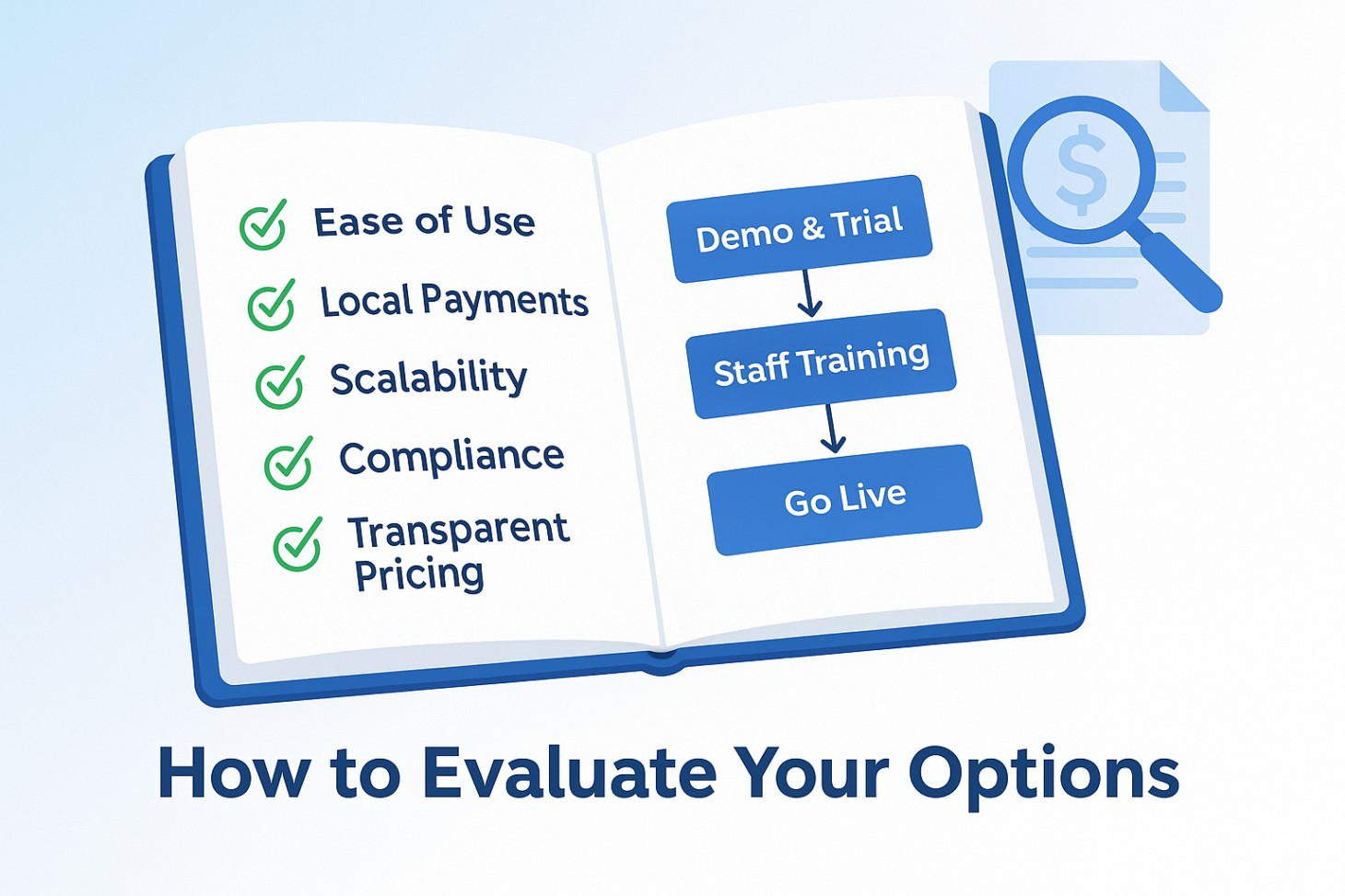
How Do You Evaluate The Best Management Software For Your Sports Academy?
With dozens of platforms available, the evaluation process should focus on clarity. Consider the following criteria:
Ease Of Use And Adoption
If staff cannot use the system intuitively, it will not succeed. Request demos and test whether booking, cancelling, and tracking attendance can be done in a few steps.
Payment And Compliance Readiness
For academies in Singapore and Southeast Asia, local payment support is vital. Solutions that only accept credit cards may create friction. Also, ensure the platform complies with data protection standards such as the Personal Data Protection Act (PDPA).
Scalability
Even if your academy is small today, choose software that can support more classes, more students, and potentially multiple branches. Our upcoming multi-branch academy management guide would explores this in depth.
Pricing Models
Some platforms charge per student, others per transaction, and some by tier. For example, vibefam lists its plans transparently, with monthly subscriptions and transaction fees shown on its pricing page. Evaluating the total cost of ownership, not just the headline price, helps avoid surprises.
What Makes A Strong Sports Academy Software Choice In Practice?
To understand what differentiates one platform from another, it is useful to think in terms of practical outcomes:
- Does it reduce administrative workload?
- Does it improve cash flow by reducing failed payments?
- Does it make life easier for parents through family accounts and reminders?
- Does it provide the reports administrators need to make decisions quickly?
The best management software should deliver on all of these without creating additional complexity.
How vibefam Supports Sports Academies
vibefam, a Singapore-based platform designed for sports and fitness academies, addresses several of the most pressing needs identified above:
- Local payments: PayNow and GrabPay integration alongside card payments, making it easier for families to complete transactions.
- Family and group accounts: Parents can manage multiple children in a single profile, which simplifies administration and billing.
- Mobile-first design: The booking interface is built for phones, ensuring accessibility for busy parents.
- Memberships and packages: Administrators can set up term passes, class packages, and flexible credits.
- Reporting and notifications: Built-in dashboards help track attendance, revenue, and student activity.
If you are exploring options for your academy, consider reviewing vibefam’s solutions to see how these features translate into practical benefits.

A Step-By-Step Guide To Implementing Sports Academy Management Software
Switching to a new system can feel daunting, but a structured approach makes the process smoother:
Step 1: Define your requirements
Start by creating a checklist of the must-have features for your academy. Every organisation has different priorities, so clarity at this stage prevents wasted time later.
Examples of requirements: local payment integration (e.g., PayNow or GrabPay), family accounts to manage siblings, mobile-friendly booking apps, attendance logs, referral tools, and reporting dashboards.
Tip: Involve both administrative staff and coaches when defining requirements. Their daily frustrations can reveal overlooked needs.
Watch out for: focusing only on parent-facing features. Internal efficiency (like payroll or timesheet exports) is just as critical.
Step 2: Run a demo or free trial
Never rely on a sales brochure alone. Request a hands-on trial where you can test the full user flow.
Test cases for parents: booking a class, rescheduling, making a payment, and receiving a reminder notification.
Test cases for staff: checking attendance, editing schedules, exporting payroll, and managing waitlists.
Tip: Observe how intuitive the platform feels. A steep learning curve will delay adoption and frustrate parents.
Watch out for: limited demo environments. Ask if you can simulate real class sizes and payment methods your academy uses.
Step 3: Plan data migration
Transferring information from spreadsheets or old systems is one of the most sensitive steps. Poor migration leads to lost records and frustrated families.
Start small: import active students, current class packages, and membership details first. Archive or exclude outdated records to avoid clutter.
Test imports: run a sample migration with a handful of student records to check formatting and accuracy.
Tip: Create a data backup before migrating, so you can restore if errors occur.
Watch out for: mismatched formats (e.g., different date styles or name fields). These can cause duplicate entries or corrupted files.
Step 4: Train staff and coaches
The success of any system depends on adoption. Even the best software fails if your team doesn’t use it correctly.
Run hands-on sessions: show staff how to log attendance, view schedules, update packages, and send reminders.
Assign champions: appoint one or two staff members as “super users” who can support others when questions arise.
Tip: Provide quick-reference guides or short video tutorials for staff.
Watch out for: focusing training only on administrators. Coaches also need to understand how to access schedules and manage last-minute changes.
Step 5: Go live in phases
Rolling out software across your entire academy in one shot increases the risk of errors and confusion. Instead, launch in stages.
Pilot launch: begin with one programme (e.g., Beginner classes) or one branch if you run multiple locations.
Gather feedback: ask parents and staff to report any issues during the pilot.
Tip: Use this stage to refine communication templates like automated reminders or cancellation notices.
Watch out for: assuming success in one programme guarantees smooth rollout everywhere. Each class or branch may have different workflows.
Step 6: Monitor performance
Implementation doesn’t end after launch. The first 90 days are critical for spotting weaknesses and fine-tuning.
Key metrics to track:
- Attendance capture rate (are absences recorded consistently?)
- Failed payment rates (are renewals processed smoothly?)
- Class utilisation (are classes filling to capacity or under-booked?).
Tip: Review these metrics monthly and adjust policies if needed (e.g., reminder timings, waitlist handling).
Watch out for: ignoring parent feedback. Even small usability issues (like confusing navigation in the app) can affect adoption and retention.
How vibefam Can Help
Implementing new software does not have to be overwhelming. vibefam was built to support academies through every stage of this process, from easy data migration and branded mobile apps to family accounts and automated payments. With built-in analytics and referral tools, you not only launch smoothly but also continue optimising your operations.
Explore vibefam’s features to see how your academy can simplify scheduling, reduce admin work, and delight parents.
Common Mistakes To Avoid When Choosing Sports Academy Software
- Over-prioritising low upfront cost: Cheap tools often lack scalability, which leads to costly migrations later.
- Ignoring local payment support: Families frustrated by limited payment options may delay or abandon enrolment.
- Assuming staff will adapt automatically: Without training, adoption rates remain low.
- Neglecting compliance considerations: Data privacy is not optional. Ensure PDPA and similar regulations are observed.
- Relying only on generic tools: Generic booking software may not support academy-specific needs like family accounts or package passes.
FAQs on The Best Management Software For Sports Academies
What is the average cost of sports academy management software?
Costs vary widely, but most range from $50 to $200 per month, plus transaction fees. vibefam publishes transparent monthly plans with clear fee structures on its pricing page.
How long does it take to set up?
A small academy can often be operational within one to two weeks. Larger institutions may require more time to migrate data and train staff.
Do I need technical expertise to use the software?
No. Modern systems are designed for administrators and coaches, not IT specialists. vibefam, for example, uses a mobile-first design that prioritises ease of use.
Can I manage multiple branches with one platform?
Managing multiple branches can be a major challenge, but the right platform can simplify everything. Look for a solution with centralized reporting. It’s the key to getting a clear view of all your locations at once. Making sure a platform can handle this from the start is the best way to avoid a headache down the road as your business grows
Choosing The Best Management Software For Your Sports Academy
Selecting management software is ultimately about enabling growth, reducing friction, and improving the experience for families and staff. The best systems provide reliable scheduling, integrated payments, family account management, and clear reporting.
For academies in Singapore and Southeast Asia, local payment integrations and mobile-first design are particularly important. vibefam addresses these needs directly, which makes it a strong choice for operators seeking to modernise their operations.
To understand how the right platform can streamline operations, improve the parent experience, and support long-term growth, explore Vibefam’s full suite of features.
Key Takeaways
- Sports academy management software has become essential in 2026 because of rising expectations, operational complexity, and mobile-first behaviour.
- The most important features include class scheduling, integrated payments, attendance tracking, and family accounts.
- Evaluation should focus on ease of use, payment readiness, scalability, and compliance.
- A phased implementation with clear staff training ensures smoother adoption.
- vibefam provides local payment integrations, mobile-first design, and academy-focused tools that address the real needs of sports institutions in Singapore and beyond.