

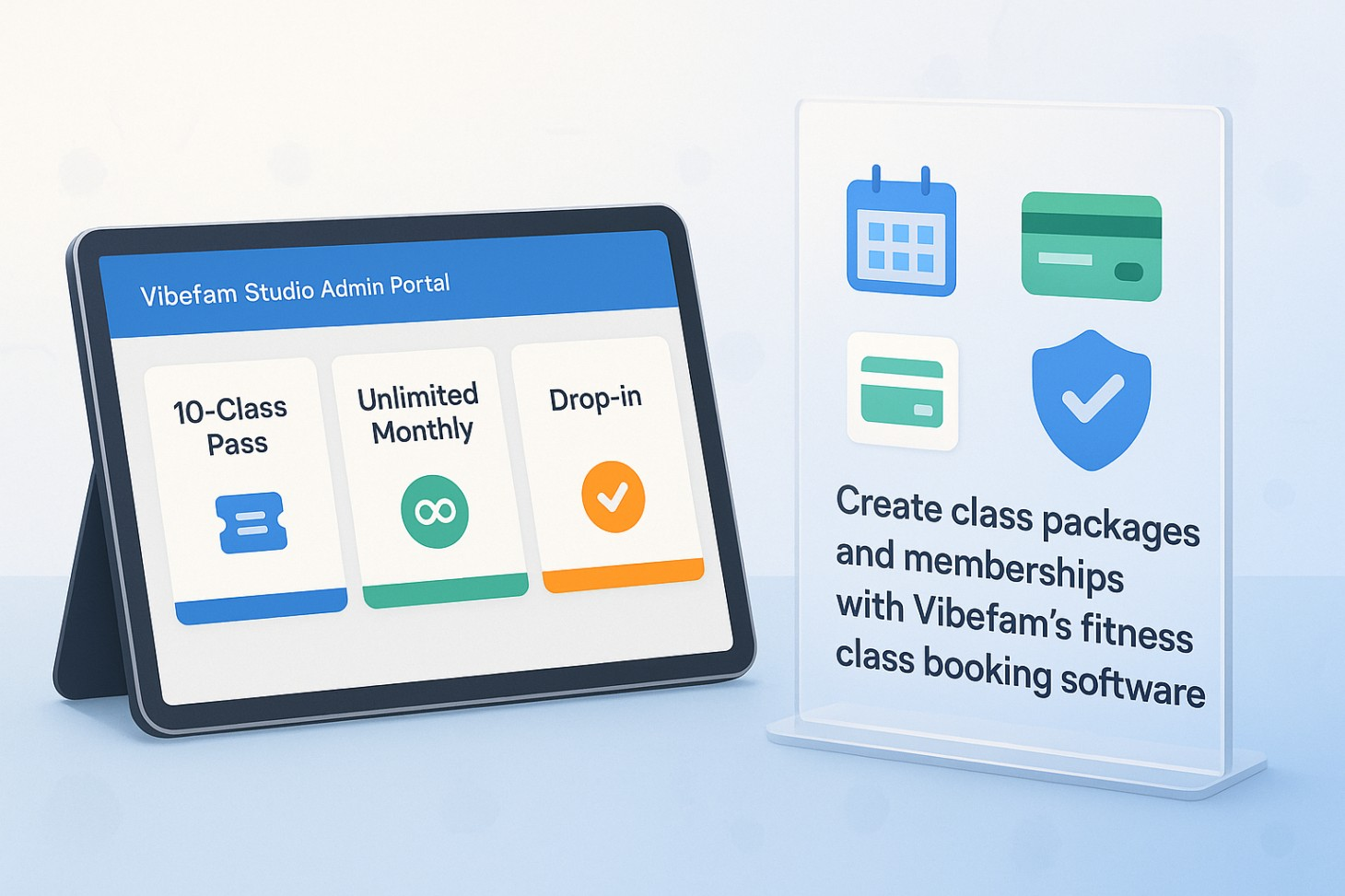
How to create class packages and memberships with Vibefam
If you’re running a boutique studio, you probably sell a mix of single classes, 5 or 10-class packs, and unlimited memberships. At Vibefam, we designed our fitness class booking software so you can configure all of these in one place, then let the system automatically apply credits, renew memberships, and enforce your policies.
In this guide, we’ll walk you, step by step, through how packages and memberships work in Vibefam, how to set them up in the Package Options tab, how they appear to your members on your booking website and branded app, and which settings protect your revenue.
What are class packages and memberships in Vibefam?
Most studios sell classes in two main ways:
- Packages / class passes – e.g. 10-Class Pass, 20-Class Pack, Drop-in + 3-class bundle. These are prepaid credits that members use to book a fixed number of sessions before an expiry date.
- Memberships – e.g. Unlimited Monthly, 8 classes per month, Unlimited off-peak. These are time-based or recurring plans that renew every month, quarter, or year and keep your revenue predictable.
In Vibefam, both of these are configured under Configure → Package Options, and we treat them as packages with credits + rules:
- A “10-Class Pass” might cost $200 and give 10 credits that expire after 3 months.
- An “Unlimited Monthly Membership” might use a high credit number (e.g. 999 credits) plus a time limit (30 days) and booking limits (e.g. up to 2 classes per day) so members can’t book 6 classes every evening. (Vibefam Support)
Our goal is simple: once you’ve set these up once, Vibefam will automatically deduct credits, renew recurring memberships, and apply your cancellation policies whenever members book.
How to set up packages and memberships in Vibefam (step-by-step)
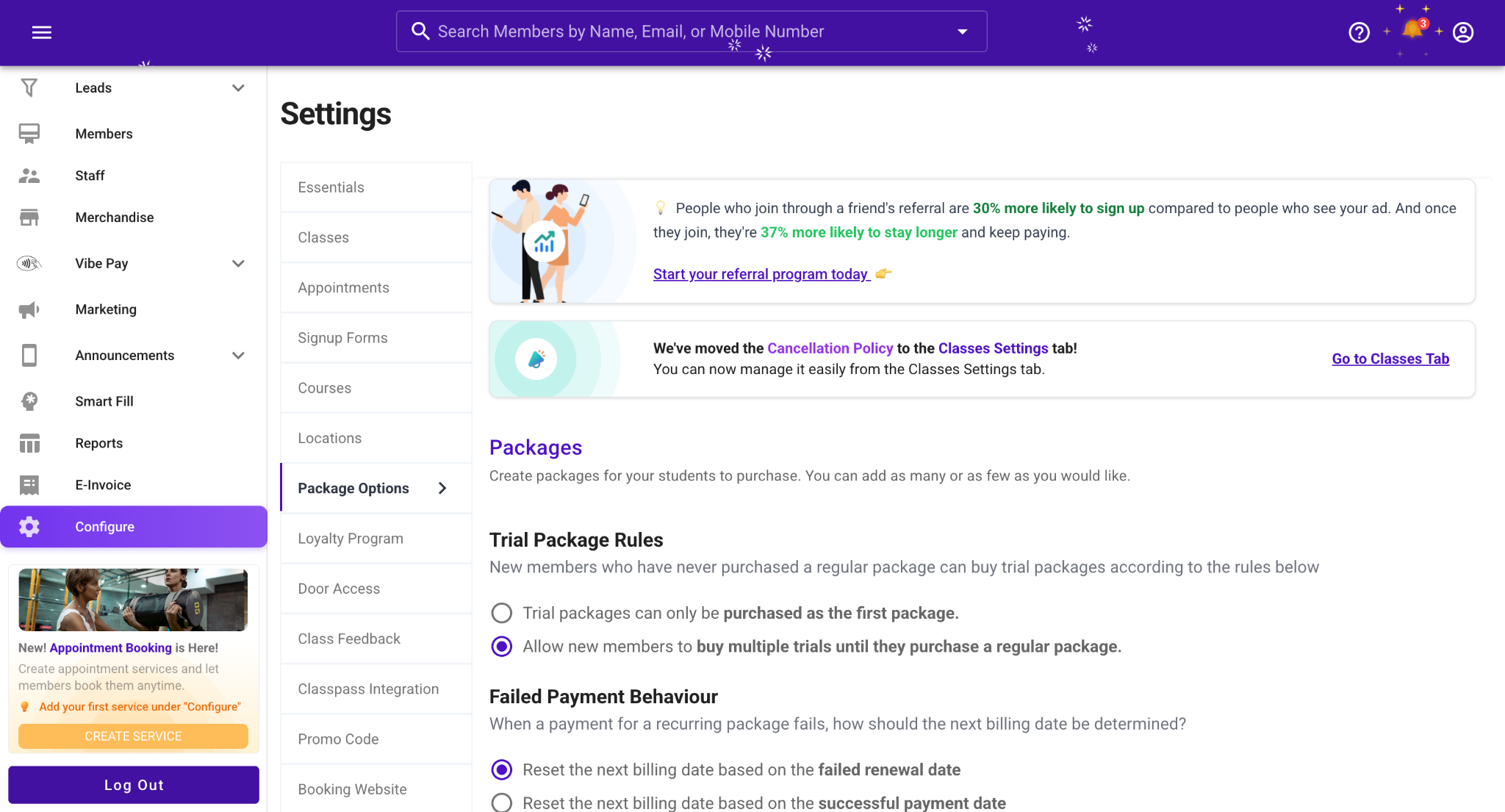
Open Package Options and create your studio-wide rules
- Log into your Vibefam Studio Admin Portal.
- Go to Configure → Package Options. (Vibefam Support)
- Start by setting studio-level rules:
- Cancellation policy – decide how many hours before class a member can cancel and still get a credit back.
- This protects you from last-minute drop-offs and is used for all credit-based packages.
- Note: For members on unlimited memberships, the cancellation policy doesn’t affect their credits in the same way, but you can still charge late/no-show fees (more on that later). (Vibefam Support)
- Phone number requirement – tick “require phone number” if you want to capture members’ contact numbers before they can purchase any package. If you leave this off, you won’t collect phone numbers at checkout.
- Cancellation policy – decide how many hours before class a member can cancel and still get a credit back.
This step makes sure all packages and memberships follow the same baseline rules.
Create a class package (e.g. 10-class pass)
Now, let’s set up a classic 10-class package. Then you can adapt this for 5, 20, or any pack size you offer.
- In Configure → Package Options, click Add Package. (Vibefam Support)
- Give your package a name (e.g. 10-Class Pass).
- Duplicate names and certain special characters aren’t allowed, so keep it clean and unique.
- Add a description so members understand what they’re buying (e.g. “10 credits for any group class, valid for 3 months”).
- Set the price (e.g. $200).
- Set the number of credits:
- In general, 1 credit = 1 class. For a 10-Class Pass, set 10 credits. (Vibefam Support)
- Configure the validity period:
- Choose Days, Weeks, Months, or Years (Vibefam treats 1 month as 30 days). (Vibefam Support)
- For example, a 10-Class Pass might be valid for 90 days.
Example: 10-Class Pass configuration
- Name: 10-Class Pass
- Price: $200
- Credits: 10
- Validity: 90 days
- Eligible classes: All regular group classes (we’ll set this in Restrictions)
- Booking limit: Up to 1 booking per day (optional)
- Purchase limit: Max 3 purchases per member (optional for promos) (Vibefam Support)
When a member buys this package, Vibefam will deduct 1 credit each time they book an eligible class online or via your staff. (Vibefam Support)
Create “unlimited” memberships in Vibefam
Next, let’s turn the same logic into an unlimited membership.
In Vibefam, unlimited plans are just packages with a high credit count + membership-style rules:
- Click Add Package again to create, for example, Unlimited Monthly Membership. (Vibefam Support)
- Set the price (e.g. $220/month).
- Set credits to a large number like 999, so members never realistically “run out” during the membership period. (Vibefam Support)
- Set the validity to 1 month (30 days) or your preferred billing cycle.
- In Advanced Options, configure:
- When the expiry countdown starts: (Vibefam Support)
- From the date of purchase – membership activates immediately when paid.
- After an activation period – the countdown starts from the first class booked. You can also set a time window (e.g. 60 days) to book that first class; if they don’t, the package expires.
- From a fixed date – perfect for promotional memberships (e.g. pre-selling a Christmas Unlimited Week that only starts on 20 December).
- Booking limits – for unlimited memberships, we strongly recommend setting limits like:
- Max 1–2 classes per day, or
- Max X classes per week/month This keeps usage fair and prevents abuse.
- When the expiry countdown starts: (Vibefam Support)
- Optional: set recurring behaviour & pricing at member level
- In your Member Management scenarios, you can turn a package into a recurring package that auto-renews and adjust the recurring price for individual members (for negotiated discounts). (Vibefam Support)
From the member’s perspective, this behaves like a typical gym membership, but under the hood it’s powered by the same package engine as your class passes.
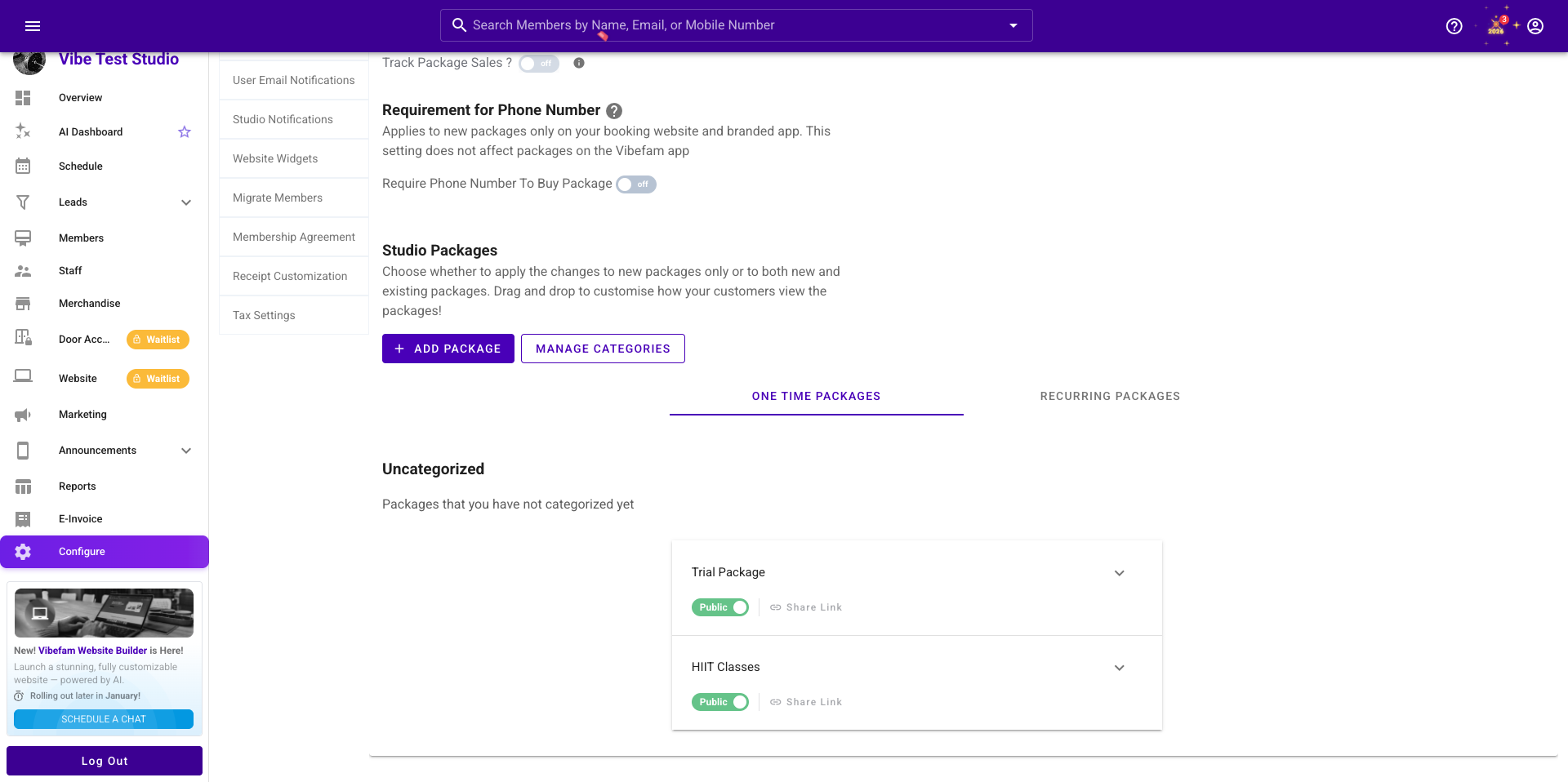
Publish packages and memberships on your booking site and app
Once your packages and memberships are configured, you decide which ones are publicly visible to members.
Toggle packages on/off for sale
In Configure → Package Options:
- Each package has an “on/off” switch:
- On = visible for purchase on your website and app.
- Off = hidden from the public, but still usable internally (e.g. staff-only or legacy packages). (Vibefam Support)
This lets you run short-term offers, trial packs, or VIP plans without cluttering your main “Buy Packages” page.
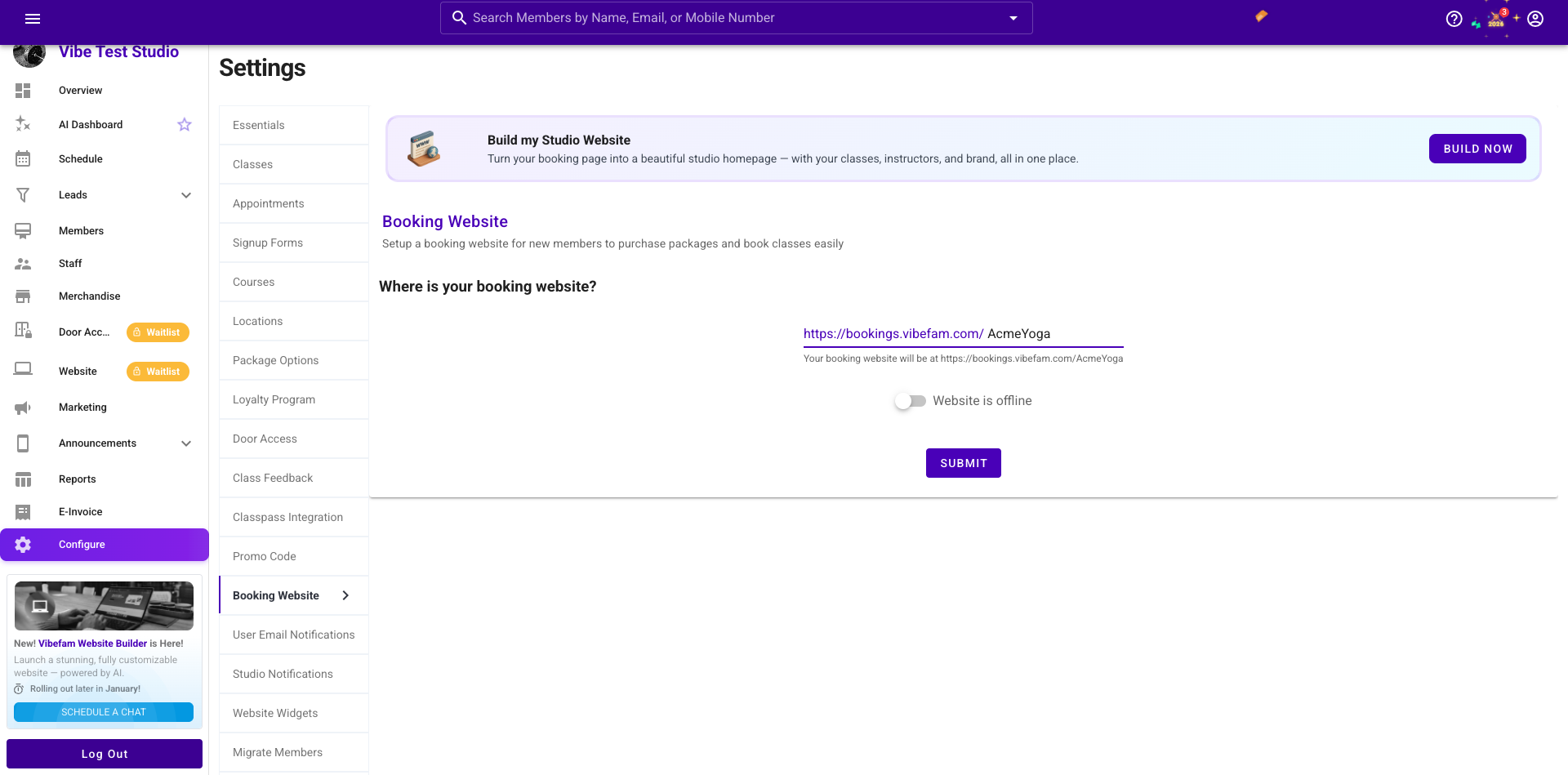
Connect to your booking website
In Configure → Booking Website you: Customize your booking website URL and brand colours.
- Switch on “website is online” to go live.
- Click through to your booking website and test the “Buy Packages” section: this is where members see the packages you just switched on. (Vibefam Support)
Members can also access the same offers from your custom branded app, where they can book classes, manage memberships, and track progress 24/7.
Sell via staff in the admin portal
Not every sale happens online. From a member’s profile in the Members tab you can: (Vibefam Support)
- Click Add Package to assign a package or membership manually.
- Choose Pay Later (Unpaid) for members who want to use the service now and settle later.
- Mark the package Paid once you’ve collected payment (cash, transfer, etc.).
This keeps your capacity, credits, and attendance accurate whether the sale happens at the front desk or on your website.
How members experience packages and memberships
From your members’ perspective, the system is simple: buy a package → book classes → credits are deducted automatically.
Buying a package as a member
From your Vibefam-powered booking website or member app, members can: (Vibefam Support)
- Sign up or log in.
- Go to Buy Packages (or the equivalent section in your app).
- Choose the package or membership (10-class pass, monthly unlimited, etc.).
- Pay online using your integrated payment gateway and local methods (e.g. cards, PayNow, FPX, GrabPay, etc., depending on your region).
The purchase instantly appears under their My Packages / Packages tab, with credits and expiry shown.
Booking a class with credits
When members go to Schedule → Book:
- Vibefam automatically checks if they have an active, eligible package.
- If yes, 1 credit (or however many credits you’ve configured per booking) is deducted from the relevant package. (Vibefam Support)
- If not, they’ll be prompted to buy a package or single drop-in before confirming.
If you’ve enabled spot booking, they can also choose a specific mat, reformer, or bike while using the same package or membership.
Sharing packages and group bookings (optional)
If you turn on Shareable Package and Group Booking options for a package, members can: (Vibefam Support)
- Share credits with selected friends or family members (each person needs a Vibefam account).
- Use one package to book multiple spots in a class (great for couples, kids’ classes, or corporate packs).
You control the maximum number of sharers and how many credits each person can use.
Restrictions & policies that protect your studio
The real power of Vibefam’s package system lies in its restrictions and policies. These settings make sure your offers are attractive and sustainable.
Limit packages by location and class type
In each package’s settings, you can:
- Restrict usage to specific locations (e.g. only your spin studio, not your secondary mat space).
- Restrict to specific class types (e.g. “Reformer Only Pack” vs “All Classes”). (Vibefam Support)
If a member tries to book a class not included in the package’s eligible classes, they’ll see a “This package cannot book this class type” message, protecting your premium formats from being booked with the wrong pass.
You can fix this either by updating the package’s eligible classes in Configure → Package Options (for everyone) or tweaking it for a single member in their profile. (Vibefam Support)
Fine-tune expiry behaviour
Under Advanced Options, you control exactly how expiry works:
- From the date of purchase – simple and immediate.
- After an activation period / from first booking – useful for gift packs or trial passes.
- You can enforce that members must book their first class within X days (e.g. 60 days) or the package auto-expires.
- From a fixed date – ideal for pre-sale campaigns, seasonal memberships, or retreats. (Vibefam Support)
You can also decide if members need:
- Class date to be before expiry, or
- Booking date to be before expiry (allowing them to book a July class as long as they book before their package expires on 30 June).
This gives you precision when running campaigns and managing member expectations.
Day/time restrictions and peak vs off-peak packs
To sell peak vs off-peak packages, you can:
- Use Day/Time Restrictions to let a package only book:
- Certain days (e.g. weekdays only), or
- Certain time windows (e.g. 9am–4pm off-peak).
Now you can sell an Off-Peak Unlimited membership that’s cheaper but restricted to quiet hours, while keeping premium timeslots for full-price packs.
Booking limits, purchase limits, and penalties
For each package, you can set:
- Booking limits – e.g. max 2 bookings per day for unlimited members, so a few power users can’t take over your schedule.
- Purchase limits – e.g. “Trial Pack – one per member” so nobody can stack trial offers.
- Late cancellation and no-show fees – additional fees charged on top of credit deduction when members cancel late or don’t show up. (Vibefam Support)
These controls ensure your pricing stays profitable and member behaviour aligns with your studio rules.
Using Vibefam for recurring memberships & repeat bookings
Many studios want a system that can both auto-renew memberships and keep regulars in the same weekly slot. Vibefam supports this via recurring packages and Repeat Bookings.
Recurring memberships
In our Membership Management Software, you can sell recurring memberships: plans that renew automatically, processed securely through payment gateways like Stripe and local methods.
At a member level, you can:
- Adjust the recurring price for a specific member (e.g. negotiated discount).
- Cancel a recurring package so it stops auto-renewing after the current period (this action cannot be undone). (Vibefam Support)
Repeat Bookings (recurring enrolments)
For kids’ classes, small-group PT, or members who always come at the same time, our Repeat Bookings feature lets you lock them into a weekly slot:
- Go to the Schedule tab and open the class.
- Find the member and toggle Repeat Booking on.
- Decide whether the repeat booking continues indefinitely or ends on a specific date.
- Assign a package to cover those repeated classes. (Vibefam Support)
Future sessions show as “unpaid bookings” until you process the next payment cycle and assign the appropriate package, preventing misleading “open” spots.
Combined with recurring memberships, this gives you:
- Predictable revenue
- Consistent attendance
- No more manual re-booking tasks every term
Why flexible packages and memberships matter for your studio
A good fitness booking platform shouldn’t just handle bookings, it should help you sell more of the right offers to the right people.
With Vibefam, you can:
- Sell recurring memberships, class packages, and drop-ins in one integrated flow.
- Customize credit counts, validity, and restrictions per package.
- Automate credit deduction at booking and renewals for recurring memberships.
- Enforce cancellation policies, late/no-show fees, and purchase limits that protect your margins.
- Offer shareable and group-friendly packages to grow average order value.
- Let members buy and book through a branded, mobile-friendly website and app using local payment methods.
The result: less admin, more predictable revenue, and a smoother experience for both you and your members.
Quick FAQ: packages & memberships in Vibefam
How do I create a 10-class pass in Vibefam?
Create a new package in Configure → Package Options, name it “10-Class Pass”, set the price (e.g. $200), give it 10 credits, and choose a validity period (e.g. 90 days). Then set eligible class types, any booking limits, and toggle it on so members can buy it on your booking site. (Vibefam Support)
How do I set up an unlimited monthly membership?
Create a package with a large credit count (e.g. 999), set validity to 1 month, use Advanced Options to define when the membership starts (from purchase, activation, or fixed date), and configure booking limits so usage stays fair. For recurring billing, sell it as a recurring package/membership through your payment gateway. (Vibefam Support)
Can I restrict a package to certain classes or locations?
Yes. In the package settings you can restrict usage by location and class type. If a member tries to book a class not covered, Vibefam will block the booking and show an error such as “This package cannot book this class type.”
What happens when a member cancels late or doesn’t show up?
Depending on your configuration, Vibefam can deduct a credit, charge a late cancellation or no-show fee, or both. You control these options in Package Options and can tailor them per package or membership.
Can members share packages with friends or family?
If you enable Shareable Package and/or Group Booking for a package, members can share credits with others and book multiple spots using the same package, within the limits you define. (Vibefam Support)