
Turn Your Phone Into a Payment Terminal
Accept in-person payments at the desk, on the studio floor, or wherever your members check out. No card reader. No extra hardware. No deposits. Set up in minutes and start collecting payments the same day.
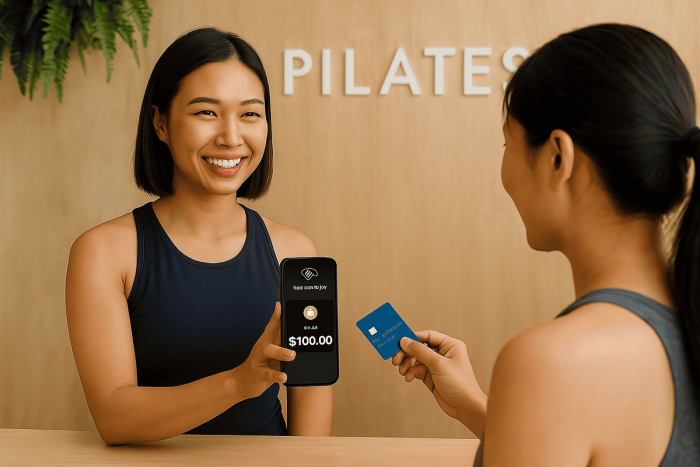
Every payment, on the spot
Boutique studios collect payments everywhere, drop-in fees at the front desk, retail purchases on the studio floor, ad-hoc charges between classes. Vibepay turns the phone in your pocket into a working payment terminal so every one of those moments closes on the spot, with the payment landing inside the same Vibefam account that runs your bookings, memberships, and payroll.
Trusted by thousands of boutique studios across North America and Asia-Pacific


What you get with Vibepay
No card reader, no extra hardware
Use the phone you already have. Nothing to plug in, nothing to charge.
No deposits, no minimums
Activate the terminal in minutes. No upfront fees, no monthly minimums, no equipment lease.
Accept every major card
Contactless credit and debit cards, Apple Pay, Google Pay, every payment method modern members already use.
Auto-reconciled in Vibefam
Every Vibepay transaction lands inside the same dashboard that runs your classes, memberships, and reporting. No spreadsheets, no manual reconciliation.
Receipts sent automatically
Members get a digital receipt by email after every payment, no paper roll, no printer.
Bank-grade security
PCI-DSS-compliant payment flow. Card data never lives on the device.
Per-payment pricing only
Pay a small transaction fee per payment. Speak to your Studio Success Manager to confirm rates in your region.
Set up alongside your studio onboarding
Your dedicated Studio Success Manager activates Vibepay during onboarding, so you can start collecting payments from day one.
How studios use Vibepay every day
Front desk drop-ins
Walk-in member buys a class. Tap to pay on your phone. Booking is created in Vibefam at the same moment.
Retail on the studio floor
Member grabs a water bottle or branded tee. Charge them where they stand, no register, no queue.
Ad-hoc add-ons
Charge for late-cancel fees, equipment rentals, single-session top-ups, or one-off coaching add-ons in seconds.
Roving payments
No fixed POS. Take payment at the front desk, in the lobby, on the floor, or at a pop-up event.
Receipts in one tap
Email a digital receipt to the member from the same flow. No paper roll, no printer.
Daily revenue in one view
Vibepay revenue lives alongside class, package, and merchandise revenue in your Vibefam dashboard.
A payment terminal that lives in your pocket
Most studio software treats payments as a separate problem, leave Vibefam to manage classes, then bounce to a different POS for in-person sales. Vibepay closes that gap. The phone you already use to check members in and run classes is the same device you use to take payments. Every transaction is logged inside Vibefam. Every receipt goes to the member. Every dollar reconciles automatically against the booking, package, or merchandise sale that triggered it.
Activation takes minutes. The first time you take a payment, the terminal initializes from inside the Vibefam app, no separate app to download, no merchant account paperwork to fill out manually, no hardware to wait for. Studios typically take their first payment on the same day onboarding completes.
No hardware tax. No surprise fees. No lock-in.
Traditional POS systems charge for the terminal itself, the lease, the receipt printer, the deposit, and a setup fee on top, and lock studios into multi-year contracts to recoup that hardware cost. Vibepay drops every line item except the per-payment processing fee. There is no hardware to buy, no monthly terminal rental, and no contract to escape from. Speak to your Studio Success Manager to confirm exact rates in your region; pricing transparency is part of the platform.
What Studio Owners Say
Vibepay allows me to collect member payments in-person, capturing sales at the point when trial members are most interested. I love the product.
Samantha
Serenity Yoga
Vibepay vs. traditional POS
| Traditional POS | Vibepay | |
|---|---|---|
Vibepay FAQ
Do I need a card reader or any extra device?
What payment methods can members use?
How fast does the money settle into my account?
Can I send digital receipts?
Is Vibepay secure?
Are there setup fees or monthly minimums?
How does Vibepay fit with the rest of Vibefam?
How Vibepay fits with the rest of Vibefam
Vibepay is one piece of the broader Vibefam platform. It pairs naturally with multi-outlet payouts (every Vibepay transaction routes to the right outlet bank account automatically), merchandise and retail (sell apparel, supplements, and gift cards on the spot), and the AI Business Dashboard (which surfaces revenue patterns across class, membership, retail, and Vibepay sales).
Activated by your Studio Success Manager
Vibepay is activated during the same 1-hour onboarding call that sets up the rest of your Vibefam account. Your dedicated Studio Success Manager walks through the first transaction with you, confirms regional payout windows, and stays on direct chat for any payment-flow questions that come up after launch, typically answered in minutes.
Vibepay: by the Numbers
Start collecting in-person payments today
Book a live demo with a Studio Success Manager. We will walk through Vibepay end-to-end on a real phone, in real time, with your studio scenarios.
Last reviewed: